Instant landing pages
Open one, change the words, ship it. Each page is a single HTML file that already works, so going live takes minutes instead of a sprint.
From nothing to live
- Browse the pages below and open the live demo of the one closest to what you need.
- Open its template page and press COPY CODE. That copies the complete HTML file.
- Replace the brand name, headline, copy and colours. Every file starts with a comment that maps its sections and design tokens.
- Deploy the file to any static host: Netlify Drop, Vercel, GitHub Pages, Cloudflare Pages or a storage bucket. It is one file, so there are no build settings.
Instant, without a page builder
Hosted page builders are quick until you need something they do not do. Then you are on their plan and inside their editor. These pages are just files: you own them, host them anywhere and edit them with any editor or AI agent. Nothing is tied to an account and nothing costs money.
Instant, with an AI agent
If you work with an agent such as Claude Code, Cursor or Codex, it can do the whole job: find a page, fetch its code or prompt, and adapt it to your product. Connect it to the library's hosted MCP server with one command, or point it at https://instalanding.ai/llms.txt.
claude mcp add --transport http instalanding https://instalanding.ai/mcpPages you can ship today
Each one is a single HTML file. Open the live demo, read the prompt that built it, or copy the code.
-
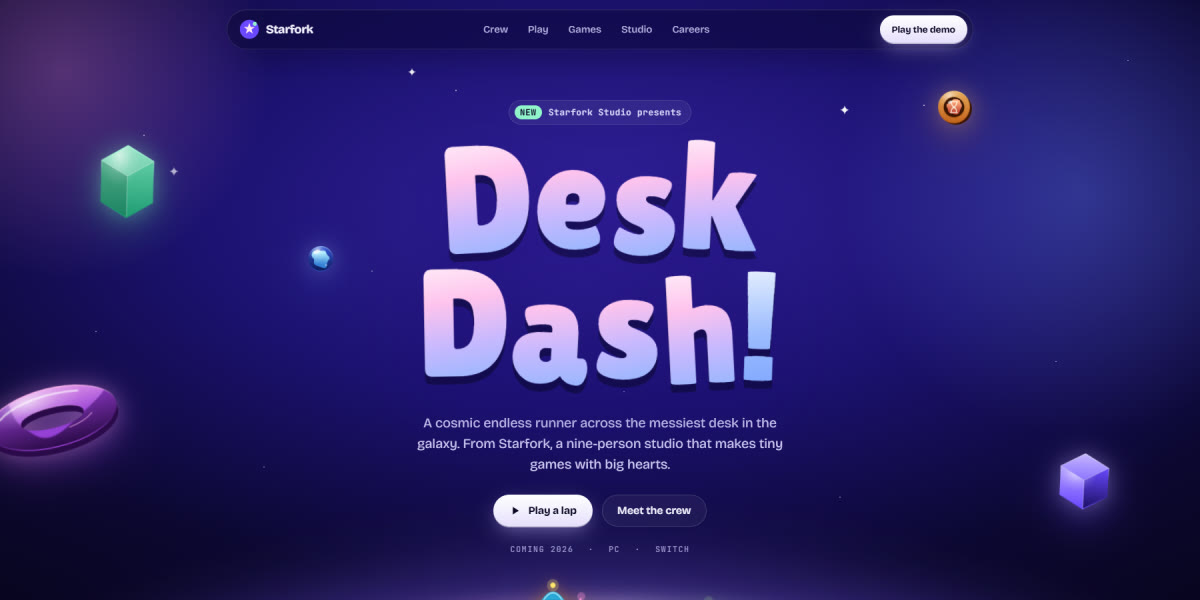
Starfork Game Studio Landing Page
A premium indie game studio page set in a cosmic toy world: eight sprite-rigged characters with real animation poses standing on a glowing planet, a character select with pose and frame-rate controls, a playable 30-second endless runner with coins and fireworks, live game cards, and a careers quiz
Live demoPromptCode -
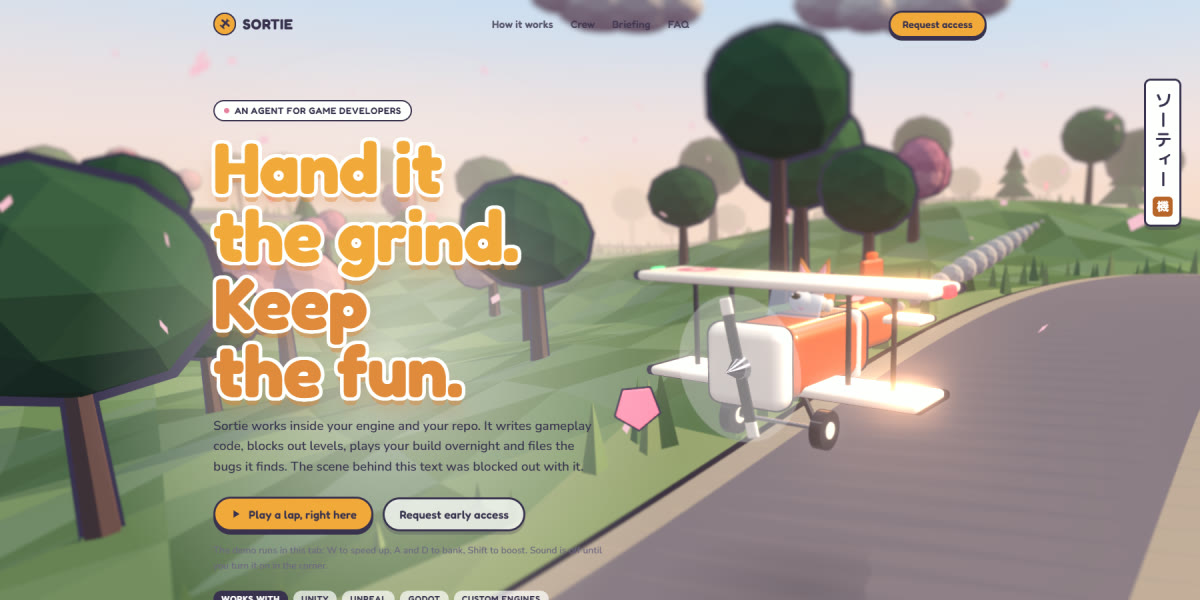
Game Dev Agent Landing Page
An AI agent for game studios whose hero is a playable three.js diorama: a toy biplane with a corgi pilot flying a low-poly cherry-blossom road under bloom and tilt-shift, a full-page loader, a crew picker that repaints the plane live, in-engine card stills and generated sound
Live demoPromptCode -
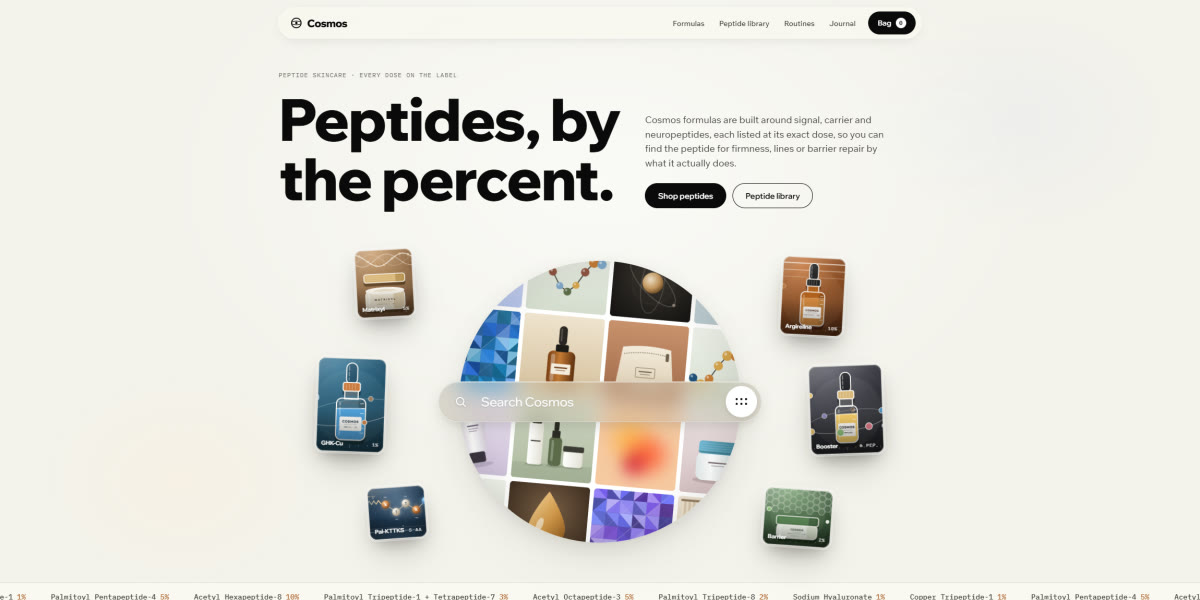
Peptide Skincare Store Landing Page
A warm, cream-toned peptide skincare store whose hero is a spinning sphere of code-drawn product tiles behind a glass search bar that types its own queries, with springy lab-style product renders, a draggable Dose lab vial, bubble-popping add-to-bag and a day-to-night routine
Live demoPromptCode -
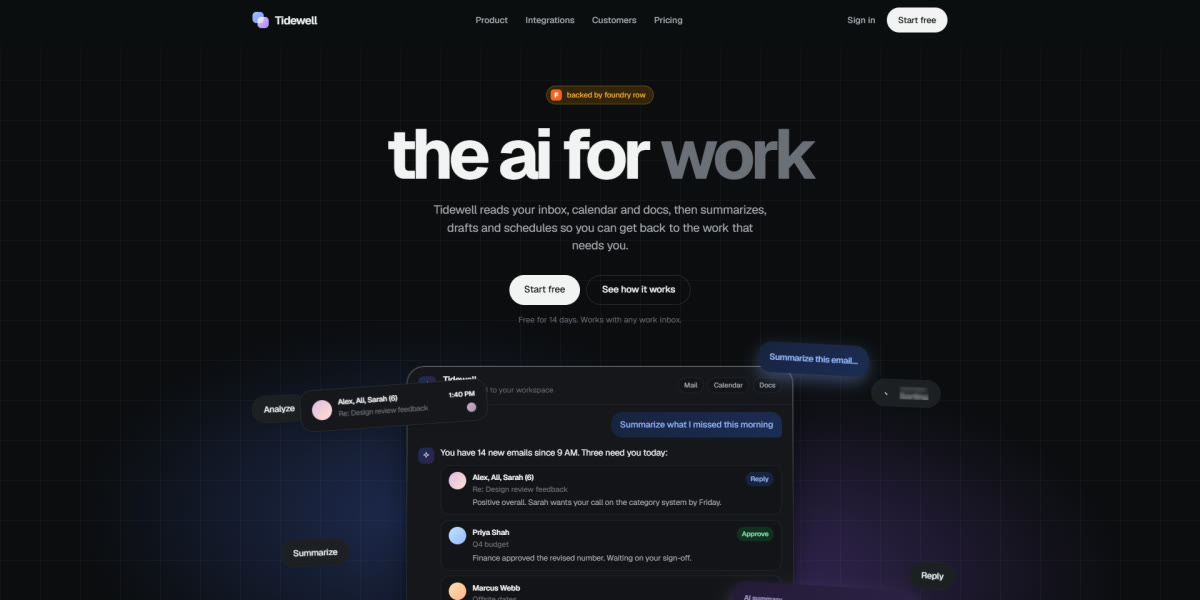
AI Work Assistant Chat Landing Page
A soft pastel AI-assistant launch page whose hero is a working chat: it types its own first question, streams answers with thread cards, drafts and calendar slots, and is ringed by agent badges that spin, tick and fail on their own
Live demoPromptCode -
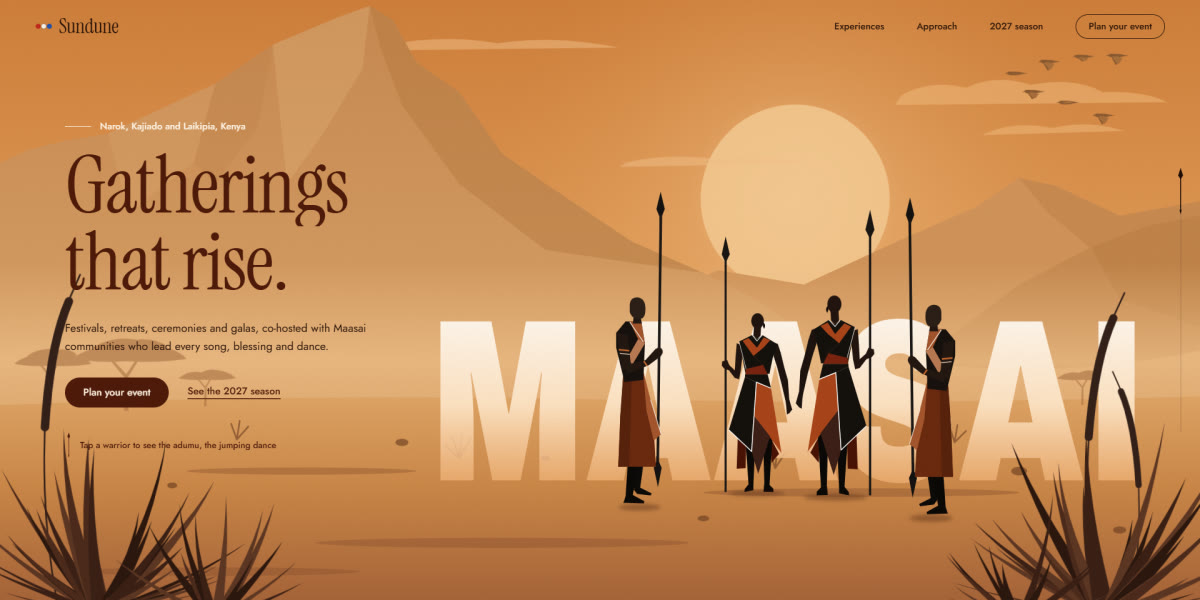
Maasai-Inspired Event Landing Page
A cultural events studio page on Maasai-inspired dusk: a Rive hero rebuilt in SVG where four warriors leap into the adumu, a scroll-driven frieze of leaping silhouettes, generated beadwork and gala art, and textures cut from the warriors' own shapes
Live demoPromptCode -
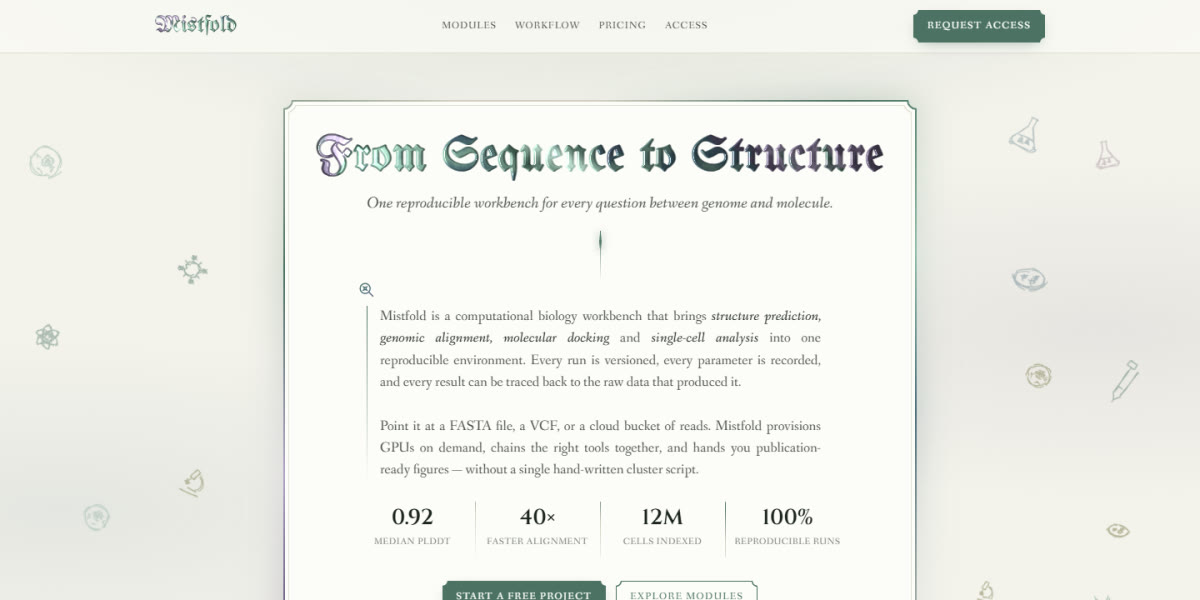
Blackletter Biology Workbench
A computational biology platform set like an illuminated manuscript: blackletter headings lit by a WebGL shader, spinning conic frame borders, and hand-drawn lab sketches in the margins
Live demoPromptCode -
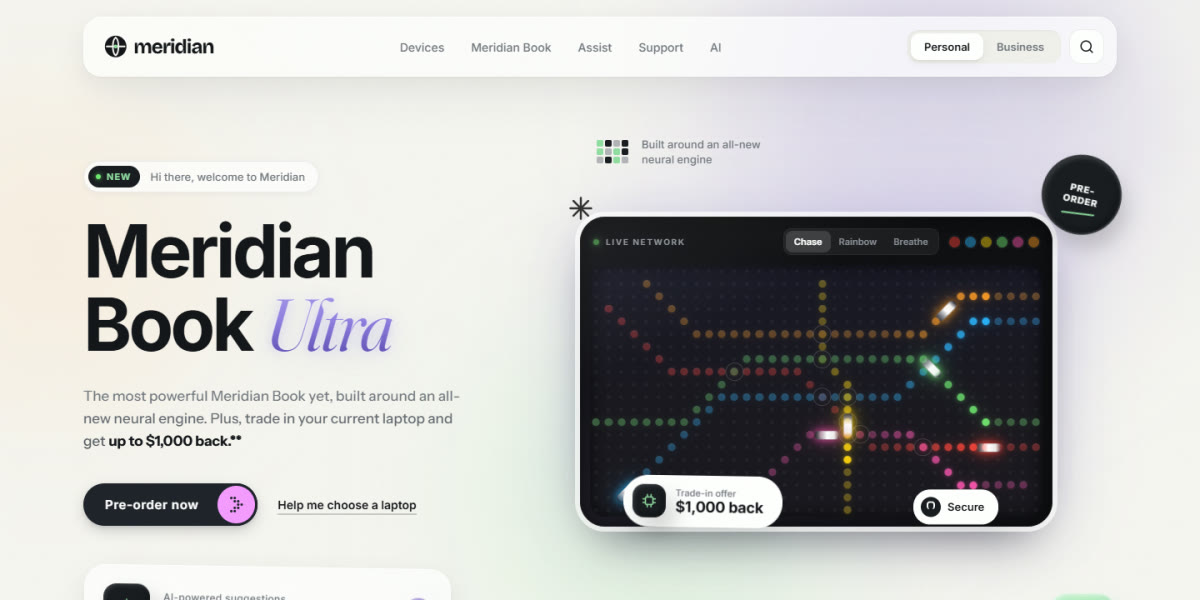
LED Metro Tech Storefront
A big-tech devices homepage in warm clay and glass, with a live LED metro map for a hero, a Personal/Business switch that rewrites the page, and a dot-matrix ticker
Live demoPromptCode -
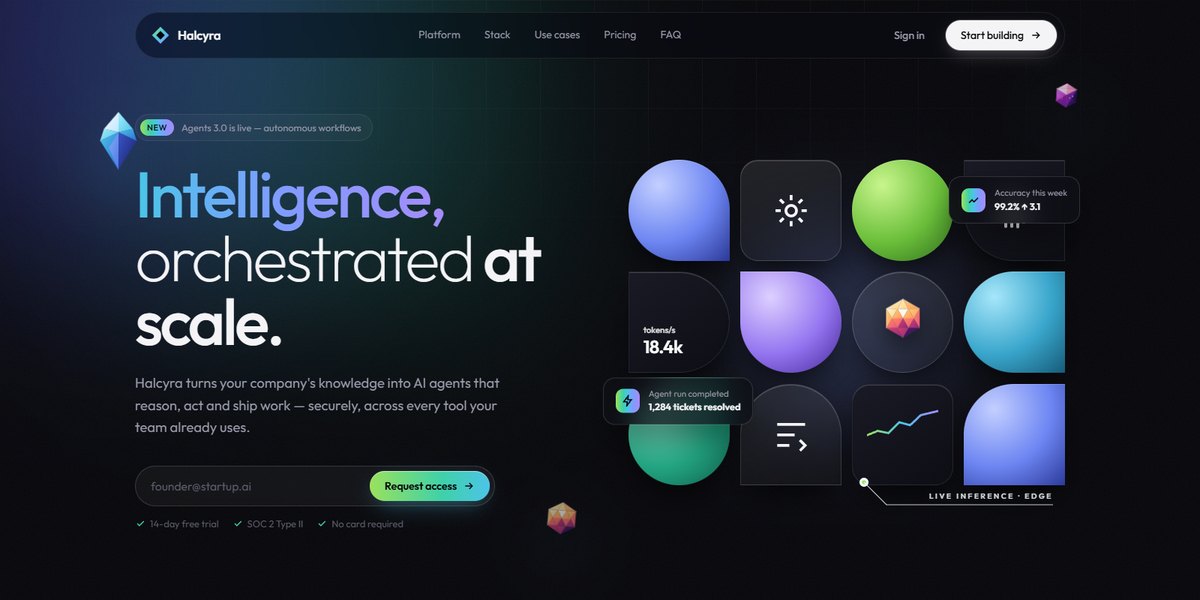
Faceted Iceberg Platform Page
An AI agent platform drawn in low-poly crystal: a shape-mosaic hero, an iceberg whose waterline drops as the platform takes on the stack, and a faceted sunrise footer
Live demoPromptCode -
Card Scanner Finance Page
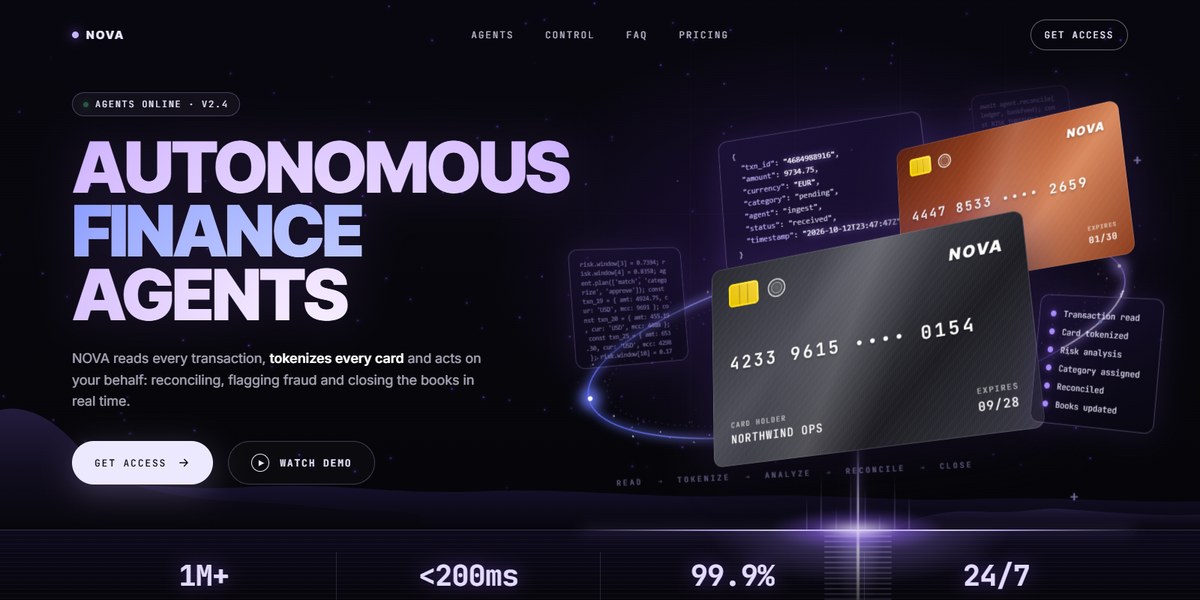
Autonomous finance agents: tilted cards in an orbit ring, a scroll-pinned scanner that turns cards into code, and a live control bento
Live demoPromptCode
Questions
How fast is “instant”?
Swapping the copy takes minutes, because the layout, responsive behaviour and animation are already done. A rebrand takes a few minutes more: each page keeps its colours and fonts in one block of variables at the top.
Do I need to know how to code?
No. Paste the file into an AI chat, ask for your changes in plain words, then drag the result into Netlify Drop to put it online.
Are they really free?
Yes. MIT licensed, no signup, no watermark.