One-shot landing page prompts
Long, specific briefs that get a finished landing page from one message, each shown next to the page it actually built.
What is in a prompt that one-shots
- The system: exact hex colours, font families and weights, a type scale, radii and shadows.
- The structure: every section, in order, and what goes in it.
- The behaviour: each animation and interaction, with timings.
- The constraints: a single file, which libraries at which versions, no horizontal scroll at 390px, a reduced-motion path.
- The failure list: the specific things that usually go wrong with this kind of page, named before they happen.
Why you should see the output first
A prompt you cannot preview is a gamble. Every prompt here ships with the page it built, so you can judge the result before spending a message, and you know what done looks like when your own run finishes.
Using one
- Open a page's live demo.
- Copy its prompt, or fetch it raw from https://instalanding.ai/p/<slug>.txt.
- Paste it into your model or agent and ask for one HTML file.
- Change the brand and copy in a follow-up message, or edit the file directly.
Prompts adapted to your tool
Each tool wants to be asked a little differently. These guides add a short preamble that fits the prompts to it.
- Best Lovable Landing Page Prompts
- Best v0 Landing Page Prompts
- Best Bolt.new Website Prompts
- Landing Page Prompts for Claude Code
- Landing Page Prompts for Cursor
- Landing Page Prompts for Replit Agent
- Landing Page Prompts for Windsurf
- Landing Page Prompts for OpenAI Codex
- Landing Page Prompts for Base44
- Landing Page Prompts for Firebase Studio
The most detailed prompts in the library
Each one is a single HTML file. Open the live demo, read the prompt that built it, or copy the code.
-
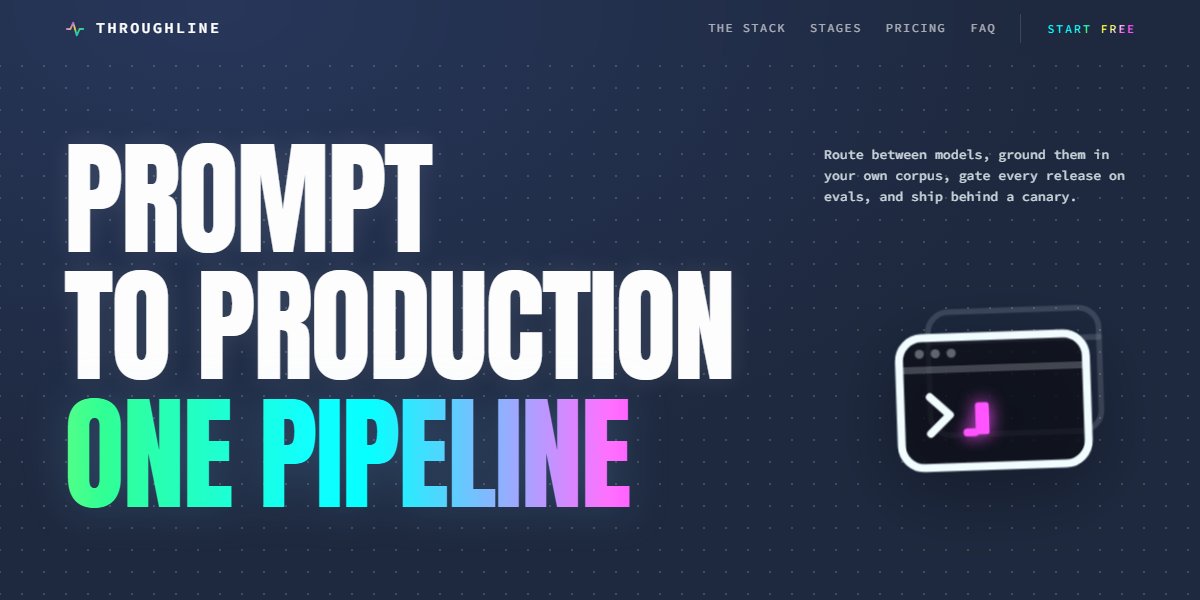
Icon-Cut Card Stack Page
Glass cards with their icon punched clean through, on gradient throughlines that travel as you scroll
Live demoPromptCode -
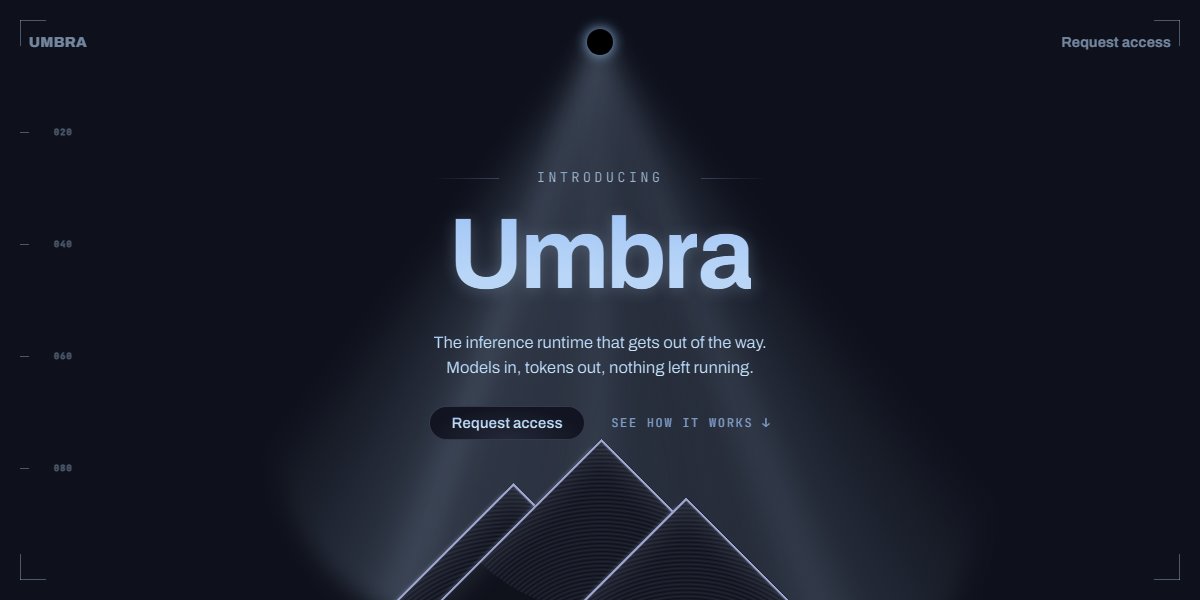
Stage Light Launch Page
A product announcement lit like a stage: conic spotlights, rising dust, a hairline grid and a light sweep running through the wordmark
Live demoPromptCode -
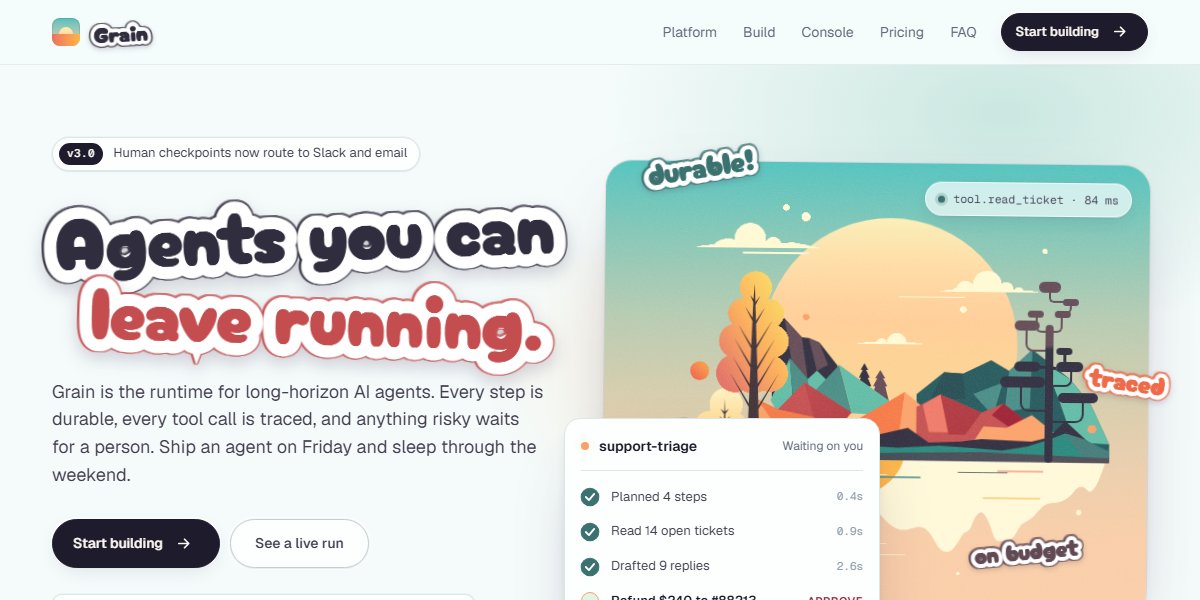
Grain Motion System Page
An autumn lake painted in pure CSS, die-cut sticker type, and a live agent run that stops for a human checkpoint
Live demoPromptCode -
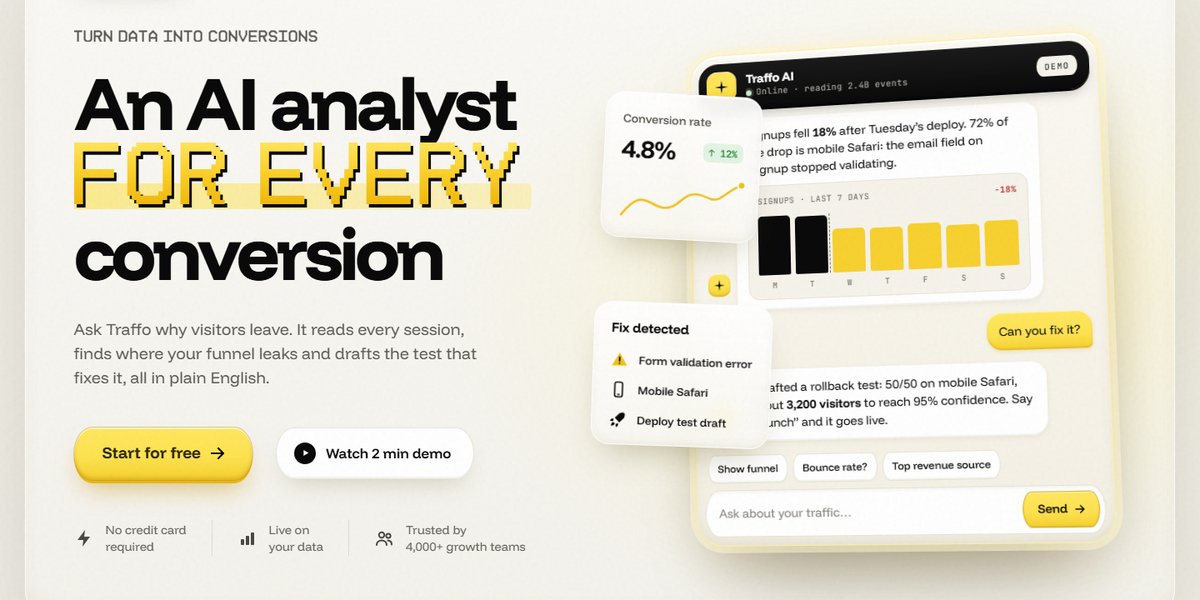
Clay Constellation SaaS Hero
A tilted live chat demo in a cloud of clay stat cards, pixel-type accents, and buttons that measure themselves
Live demoPromptCode -
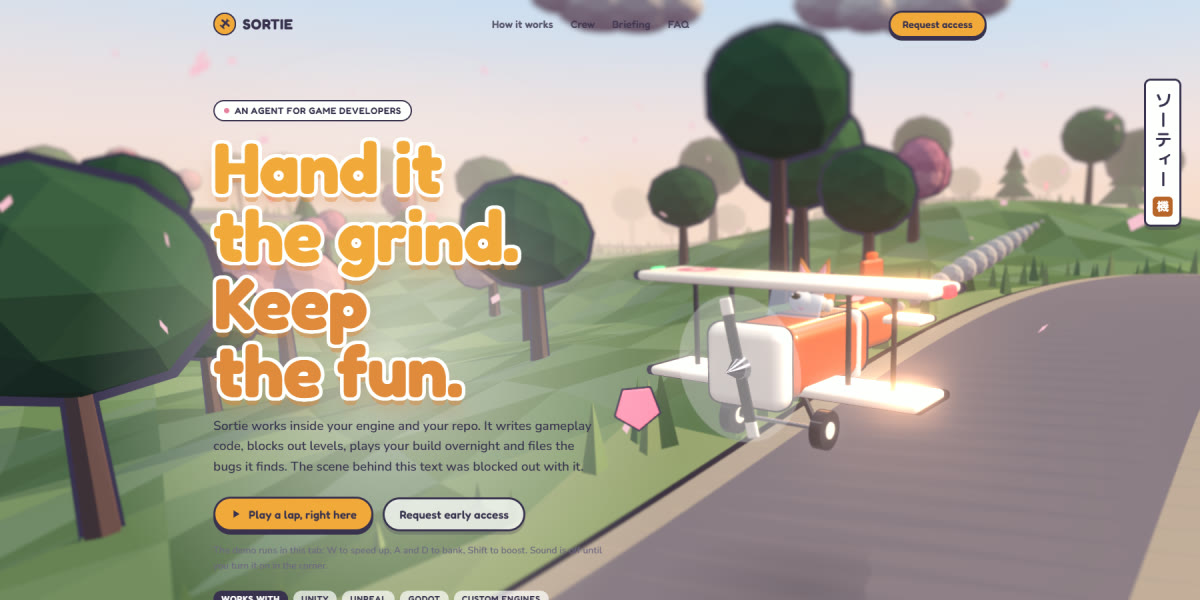
Game Dev Agent Landing Page
An AI agent for game studios whose hero is a playable three.js diorama: a toy biplane with a corgi pilot flying a low-poly cherry-blossom road under bloom and tilt-shift, a full-page loader, a crew picker that repaints the plane live, in-engine card stills and generated sound
Live demoPromptCode -
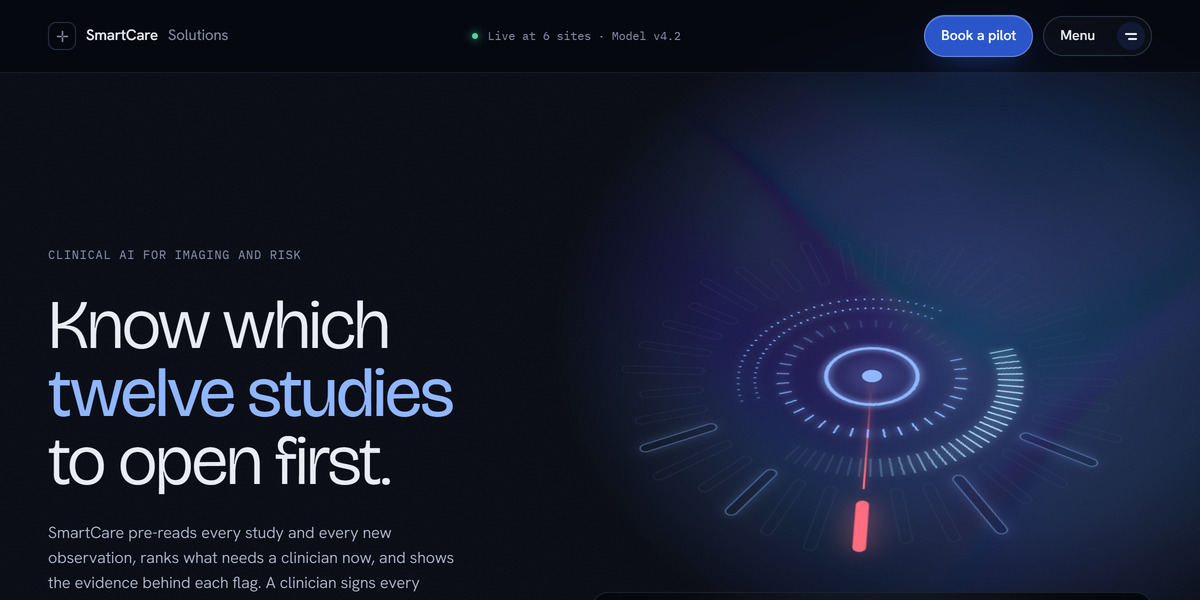
SmartCare Clinical AI Landing Page
Iridescence shader hero + CSS power switch: one light source for buttons, cards and charts
Live demoPromptCode -
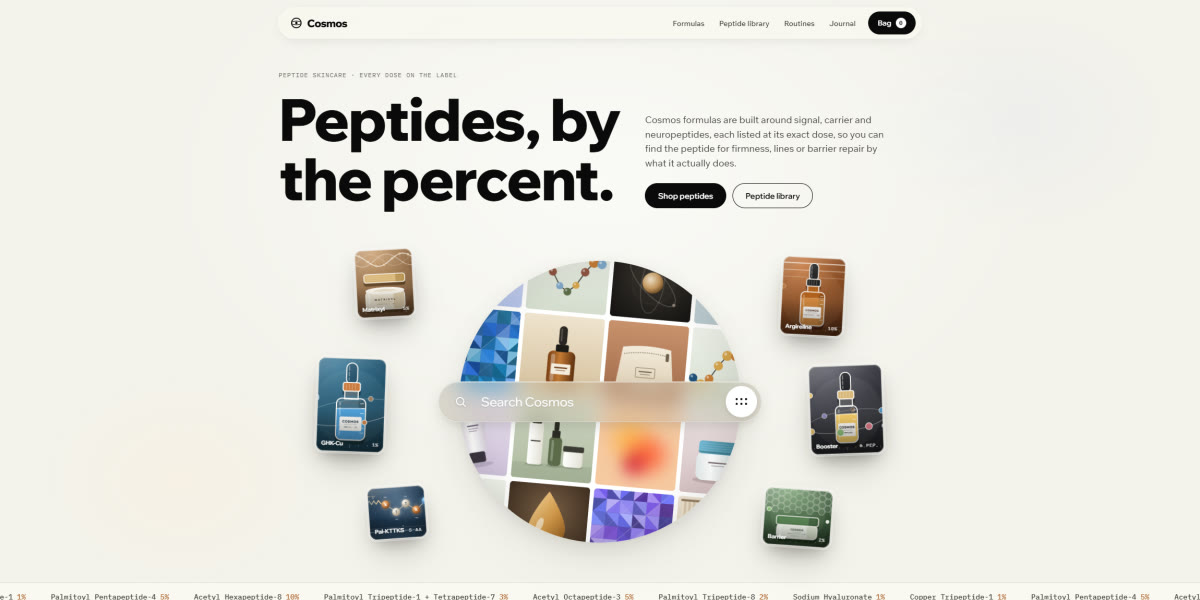
Peptide Skincare Store Landing Page
A warm, cream-toned peptide skincare store whose hero is a spinning sphere of code-drawn product tiles behind a glass search bar that types its own queries, with springy lab-style product renders, a draggable Dose lab vial, bubble-popping add-to-bag and a day-to-night routine
Live demoPromptCode -
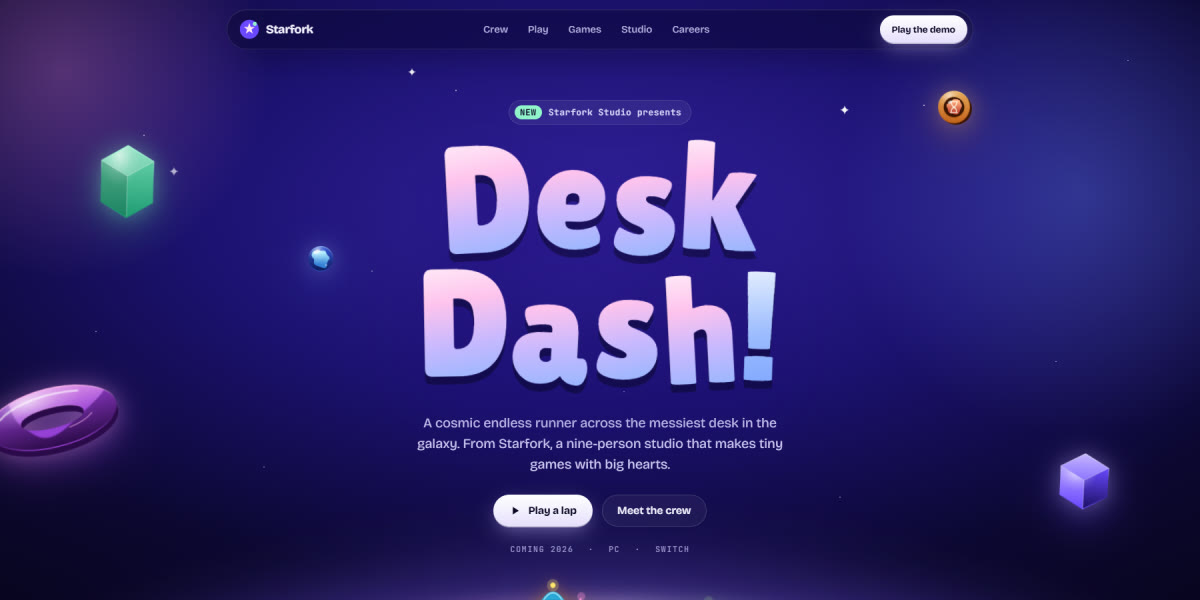
Starfork Game Studio Landing Page
A premium indie game studio page set in a cosmic toy world: eight sprite-rigged characters with real animation poses standing on a glowing planet, a character select with pose and frame-rate controls, a playable 30-second endless runner with coins and fireworks, live game cards, and a careers quiz
Live demoPromptCode -
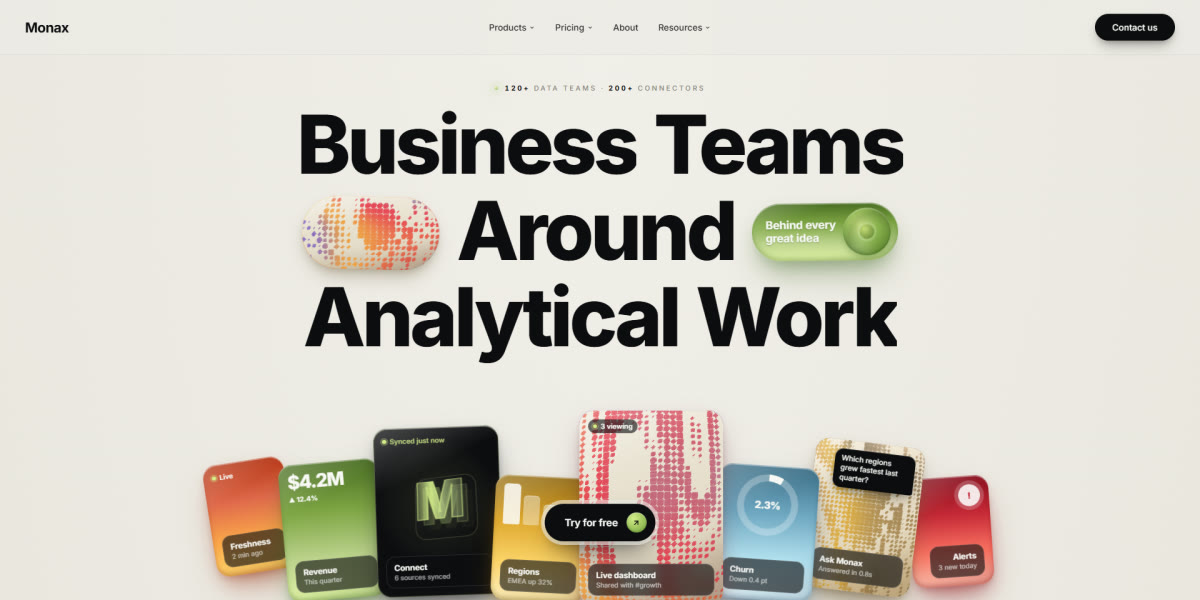
Monax Analytics Landing Page
Dithered WebGL halftone panels, glossy 3D orbs, tabbed product demo, bento + pricing
Live demoPromptCode
Questions
How long are these prompts?
Most run from about 4,500 to 11,000 characters, roughly 1,100 to 2,800 tokens. That is long enough to pin down the design and short enough for any current model.
Will I get exactly the demo?
Close, not identical. Models vary from run to run, so expect the same structure, palette and interactions with small differences in detail. The failure list in each prompt keeps those differences cosmetic.
Can I change the brand in the prompt itself?
Yes. Swap the brand name, product and copy before you paste it. The design instructions still apply.